
Apps
Dia browser review: what its AI does across your tabs
Dia's Skills save a tab-summary prompt for reuse, and one review's five-tab test favored Dia. Gemini in Chrome still covers up to 10 extra tabs.

Listen to this article
Dia browser review: what its AI does across your tabs
In this article
Dia browser review: verdict
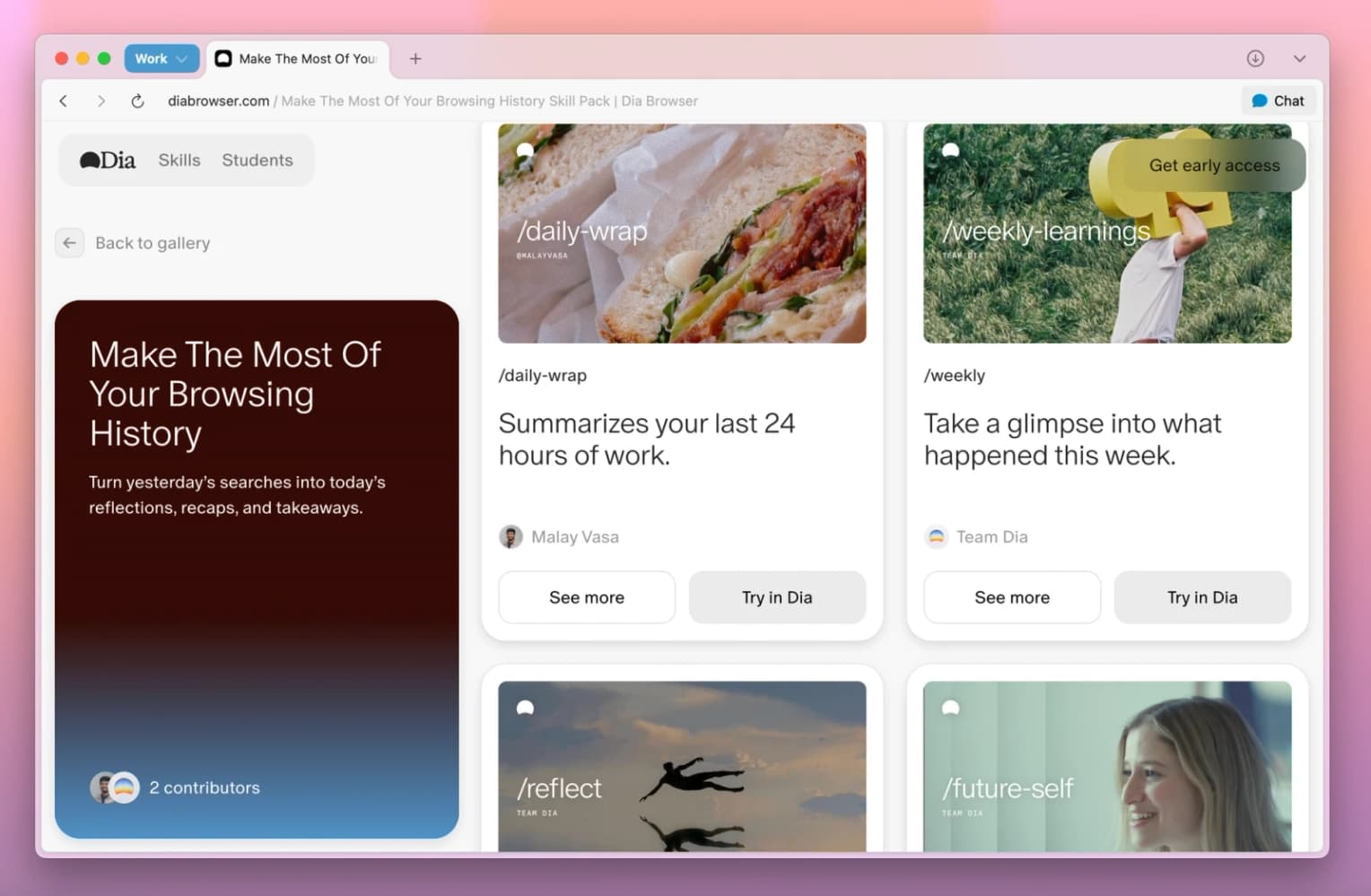
If you summarize the same pile of tabs every morning, you've typed that request more times than you'd like. Dia, the AI browser from The Browser Company, is worth trying for that chore: in one review's five-tab comparison, its saved summary Skill covered every open tab while Gemini in Chrome's didn't. Skills save your request for reuse with a slash. Chrome answers questions across several tabs too, so multi-tab AI alone gives you no reason to leave Google's browser.
Jack Wallen conducted that five-tab comparison on macOS. His Dia Skill produced summaries for all five open tabs; his Gemini in Chrome Skill didn't summarize them all. Dia covered every tab in that test, which is what you'd want from a saved request to summarize them all.
Dia runs on Chromium, and the same company built Arc. You get vertical tabs, extension support and a built-in blocker for ads, pop-ups and trackers.
Tell Dia which tabs
An @ in any query lets you pick an open tab, and Dia pulls that page in as context. Mention several tabs and one question covers all of them.
You can ask Chat about the pages displayed together in Split View, which holds up to three tabs. For a recurring meeting, a single click restores a split layout you've used before. Dia also answers questions in the current tab about material you highlight, including charts, paragraphs and video timestamps. A comparison of two tabs can take the form of a chart.
You can give each AI chat a tab and organize those conversations into groups. Memory lets you return to earlier work even after switching tabs or starting another session; open "Memory Search" from the "Tab Overflow" menu to find it. Dia also offers a cleanup when you've left 10 or more tabs untouched for a while, collecting them in a temporary group before archiving them. What you enter in the Command Bar determines whether Dia starts an AI chat, navigates to a website or runs a web search.
Put Dia Skills to work
A Skill is a personalized prompt you save once and reuse, such as a request to summarize all your open tabs. Dia's Skills also respond to their name: type it and press Return, no slash needed.
In the setup one review used, Skills didn't appear until a hidden switch was on and the browser had restarted. Two settings screens and a restart is a lot of setup for what amounts to a saved prompt.
- Open "Settings" > "Apps", switch on "Advanced Chat" and restart Dia.
- In "Settings" > "Skills", click "+" and write your request, such as a summary of every open tab.
- Start a new chat and enter / to bring up your Skills in a pop-up list, then select the one you want.
You don't have to select a tool for each request: Dia makes that choice, drawing on your tabs or connections such as Slack, Gmail and Google Calendar. Figma, GitHub, Microsoft Outlook and Notion are among its other connections. The same review found that Dia lacked the option to stack Skills that Gemini in Chrome offered.
Gemini in Chrome multitasks too
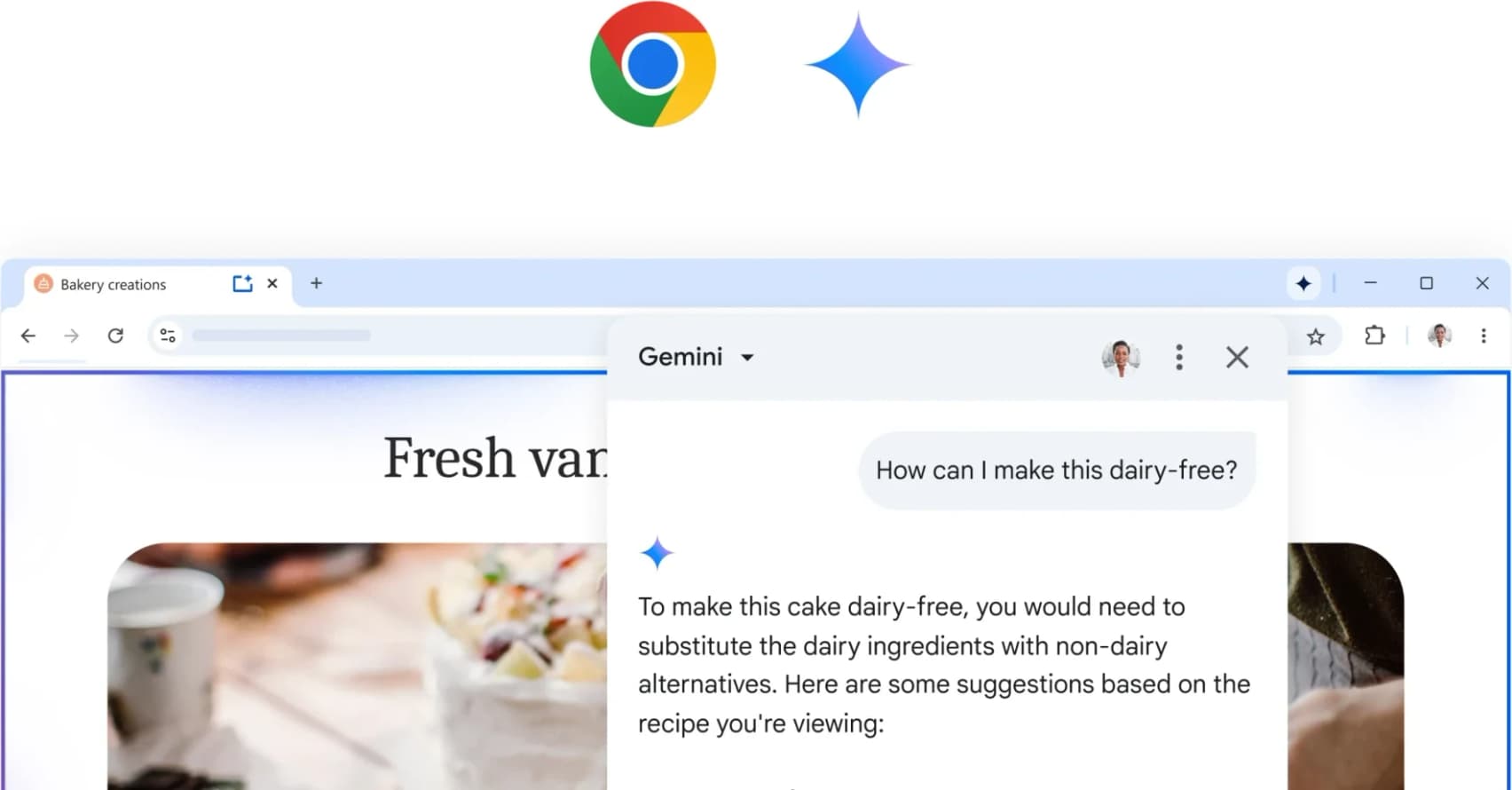
Gemini in Chrome works from your current tab by default, and on a computer you can add up to 10 more recent open tabs from any of your browser windows. An @ in the prompt finds a tab and adds it, and you can turn off "Share current tab by default" in Chrome's settings. Chrome reaches across windows, so the multi-tab half of Dia's pitch already sits in the browser you have.
Gemini's side panel stays open as you move between tabs, and it handles comparing options across tabs and pulling together product reviews from different sites. Connected Apps reach Gmail, Calendar, Maps, YouTube, Google Flights and Google Shopping. For a Google Doc you share in Chrome, Gemini may access your Workspace account directly and draw on the entire document, including content beyond the tab. It also summarizes audio or video you've already played.
You need a signed-in Chrome profile, and Gemini won't run in Incognito. It works on Windows, Mac and Chromebook devices set to a supported language, with a minimum user age of 13 or the applicable threshold in your country, and an organization can switch it off for its users. Google is rolling it out over time, so it may not have reached your country yet. In the U.S., a subscription to either Google AI Pro or Google AI Ultra also includes Chrome auto browse, an agent that stops for your confirmation before a purchase or a social post, with Ultra carrying the highest access.
Check Dia compatibility
Dia runs on macOS and Windows, with a Windows download on its site. Macs need macOS 14 or later and an Apple M1 chip or newer, which leaves every Intel Mac out.
Coming from Chrome, your pinned tabs arrive in Dia still pinned. Each profile keeps its own tabs, logins and AI, and it syncs its extensions across your devices, down to which ones are switched on and the order they're pinned in. Your Memory, Privacy, Shortcuts and tab preferences sync as well, and the "Tab Overflow" menu lists unpinned tabs from your other devices.
Dia's free plan skips AI
Dia's free plan has no AI features. It includes cross-device sync and the ad and tracker blocker, plus profiles for separating your browsing. You also get picture-in-picture video, split view and tab groups.
Better Answers connects your tools for requests to draft, find or summarize information. It also includes Morning Brief, which brings key links, inbox content and your calendar together in a daily rundown. Better Days includes the same features with 20 times as many asks. Dia counts usage in Tasks. A simple request uses a fraction of a Task; longer output, extra context or additional tools consume more. Unused Tasks expire when a fresh allowance arrives at the start of each billing cycle.
No credit card is needed for the 14-day Better Days trial that new Dia users receive. Once the trial ends, browsing remains available for free; continued AI access requires a paid plan. The paid-plan rollout begins with new Mac users, while Windows access remains unchanged. Existing users retain their current features at no charge. Dia will email them at least 30 days before their accounts become subject to paid plans.
Dia's AI stays cloud-based
Local models such as Ollama aren't an option in Dia: its AI processing takes place in the cloud, which rules it out if you want AI to run on your own machine. Agreements with its AI providers prohibit them from using your data for model training.
Dia gives you controls for tool connections and for saving your preferences in Memory. End-to-end encryption protects data during sync. Dia excludes your data from both sales and advertising-profile creation.
Should you switch browsers?
We'd keep Chrome for everyday multi-tab questions and try Dia only if summarizing the same set of tabs is a daily chore, because in one review's five-tab test its Skill covered every open tab where Gemini's fell short, and the 14-day Better Days trial costs nothing and needs no card. If you do install it, save your tab-summary request as a Skill first, so every run after that is a slash and a name instead of a fresh prompt.
Behind this story
An expert in all things smart tech and an incredibly intelligent writer who can explain complicated technology to a wide audience, Tania is always up to date on the latest smart tech developments - whether it’s a product for home entertainment use or educational purposes, Tania can explain both the features and the implications, the advantages and the drawbacks, and the risks and rewards of smart technology.
All stories by Tania