
Apps
How to install tools built with Claude as desktop apps
Install Claude-built tools with “Share” → “Install as app” on Mac or Windows. See account requirements, artifact limits and file permissions.

Listen to this article
How to install tools built with Claude as desktop apps
In this article
Anthropic introduced its desktop-app beta on November 24, 2026, but you still need to be online and signed into Claude to open your installed tools. To install one, update Claude for Mac or Windows to version 6.28899.0 or later, open the artifact, choose "Share" → "Install as app" and confirm.
We’d use the separate icon and window for quicker access to a tool you built, with full computer access left off unless you trust the app.
Claude desktop beta access
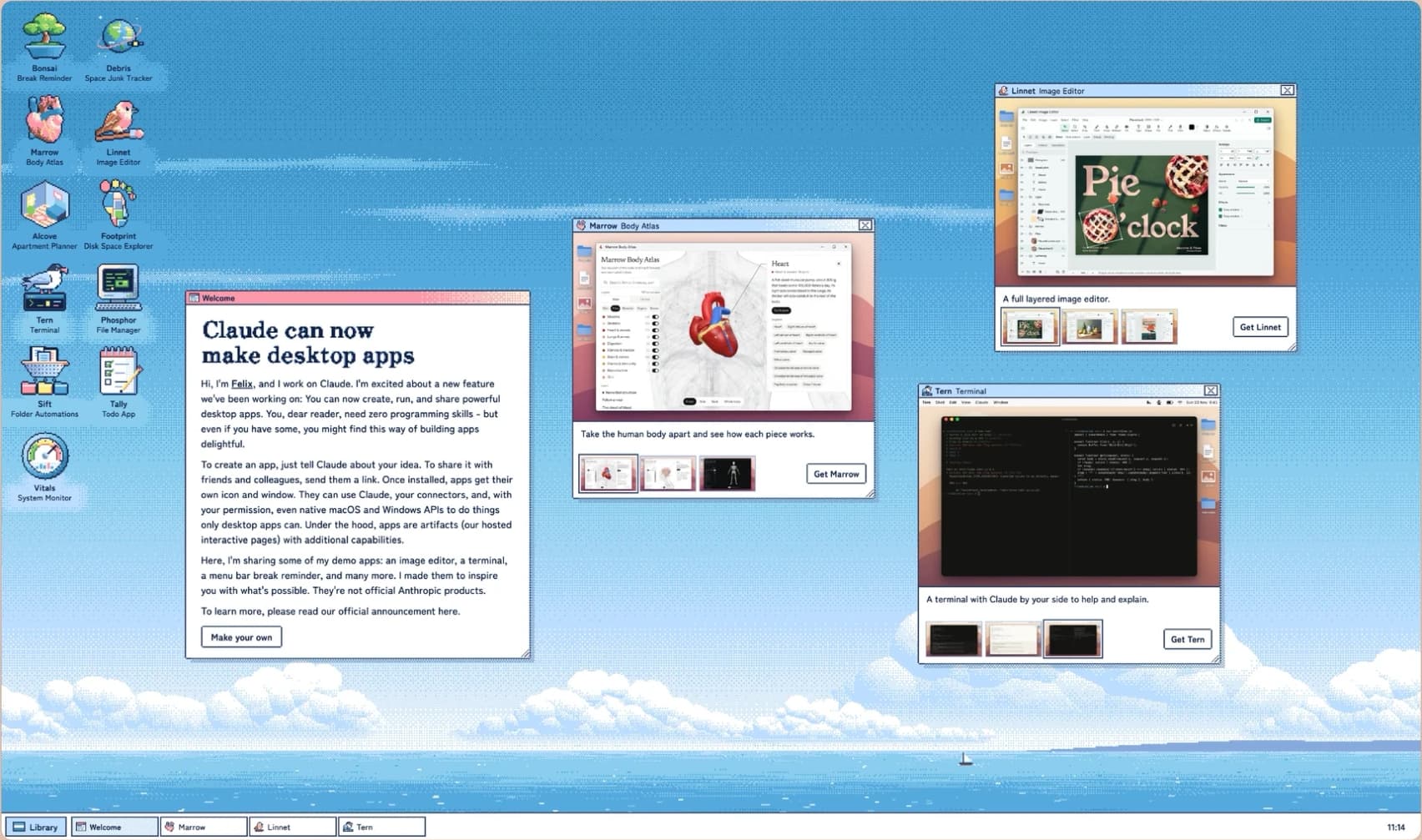
The beta is rolling out across all Claude plans, including Free. If you haven’t created your tool yet, describe the app you want to Claude and try the resulting artifact before installing it.
There’s no packaging or signing to wrestle with. The app uses your existing Claude account, so you don’t need to create another login or set up an API key.
On macOS, installed tools go in a "Claude Apps" folder. On Windows, you can open them from the "Start" menu or a desktop shortcut.
Still tied to Claude
Your installed app stays linked to the original artifact. When its owner or another editor changes that artifact, the installed app updates automatically, so someone else’s edit can change the tool on your desktop too.
Installed apps retain access to Claude and your connectors. Any requests they make use part of your plan’s Claude allowance, just as building the tool does.
Closing the window also leaves some apps running. An installed artifact with a macOS menu bar item or a Windows system tray icon continues to run after you close its window.
Permissions need a pause
By default, an installed artifact has browser-level capabilities. Extra app permissions let a tool respond to global keyboard shortcuts, send notifications or keep its window above other programs.
With the "Full computer access" tier, even a little tool gets permission to delete, modify or read your files and launch programs, all without a fresh prompt for each action.
Claude asks for permission again with each app update, including edits you make yourself.
Not every artifact qualifies
Linux users sit out this launch, and you can’t install artifacts from Claude on the web or mobile either. Live artifacts from Claude Cowork and legacy artifacts don’t qualify for installation. Neither do artifacts built from templates, including Claude Sheets, Docs and Slides.
Team users start with installation enabled; an admin must turn on "Full computer access" separately. Enterprise users need an owner to activate installation. On both plans, administrators control their organization’s app permissions and full access.
The installation feature excludes hybrid deployments and HIPAA-ready organizations.
Should you allow full access?
Apps reach installation without a review by Anthropic. Your own creations qualify for full computer access; Team and Enterprise also let you grant it to tools created by others within your organization.
Code that an app loads from another website can change without triggering another permission prompt, even though updates to the artifact itself require fresh approval.
We’d leave "Full computer access" off unless you trust the app and everyone who wrote it, because that permission lets it modify or delete files on your computer with no fresh approval for each action.
Behind this story
Guy is our resident expert on smart home components and all things virtual reality.
All stories by Guy